ScrapBoyOnline – Online Scrap Marketplace Pickup Booking System with User Partner Admin Panel ( React Nodejs)
$ 495.84
ScrapBoyOnline – Online Scrap Marketplace Pickup Booking System with User Partner Admin Panel ( React Nodejs)
On-Demand Scrap Marketplace & Partner Lead Distribution System (React.js & Node.js) ScrapX Is A Powerful, Production-ready Full-stack Web Application Designed For Scrap Recycling Businesses, Junk Removal Startups, And Marketplace Aggregators. Built With React.js, Node.js
Ragorpay , Phonepe , Paypal , Payumoney , Payment Gateway + integration
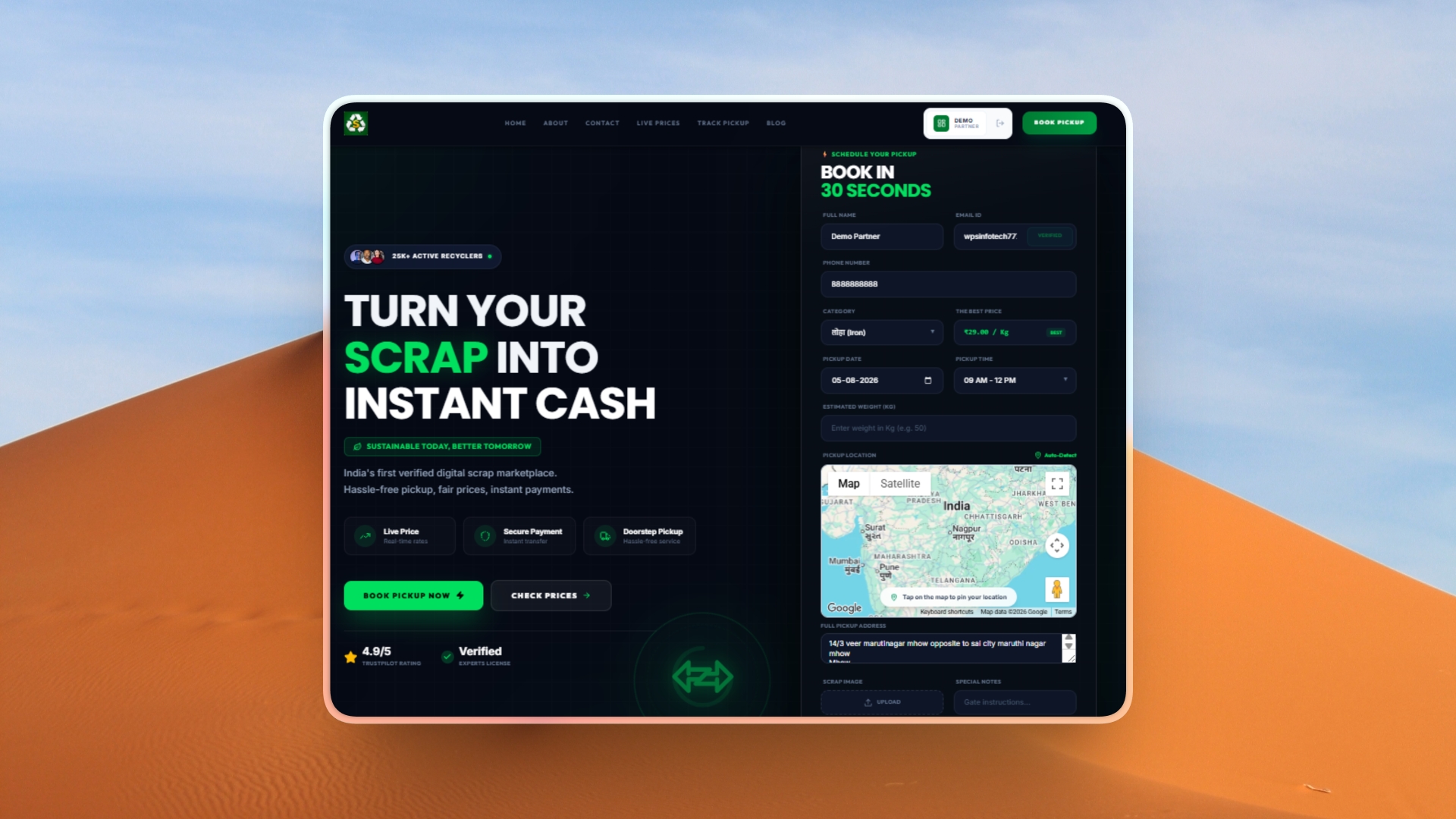
- Homepage
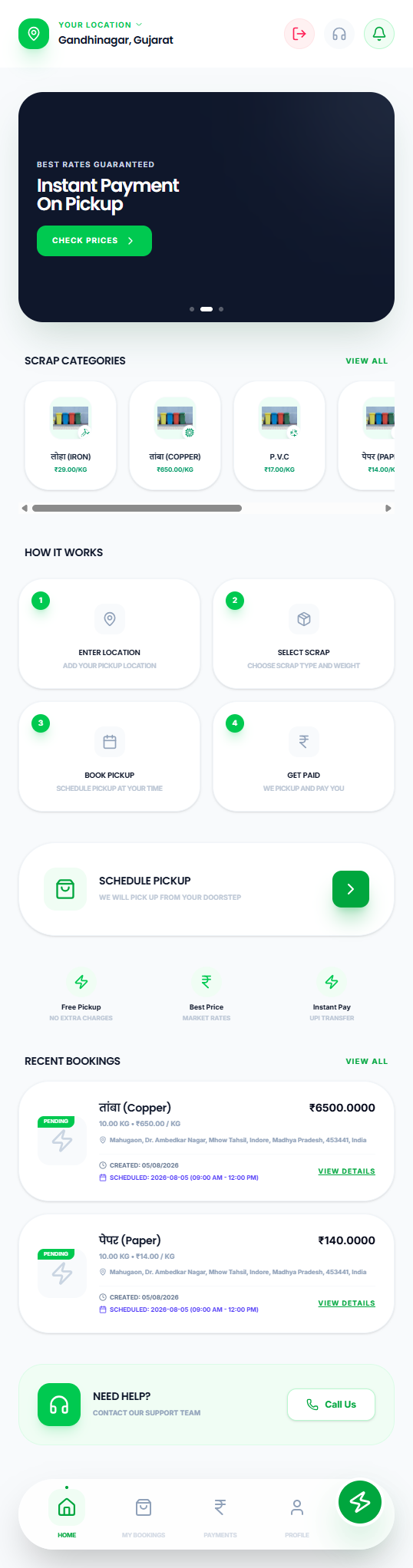
- User Dashboard
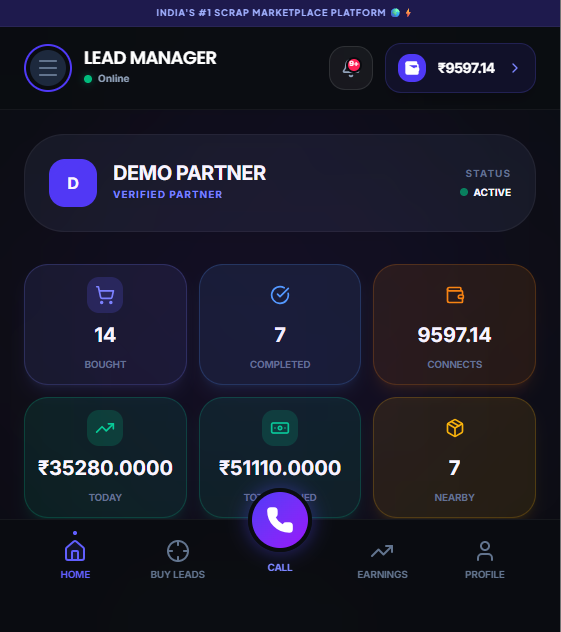
- Partner Dashboard
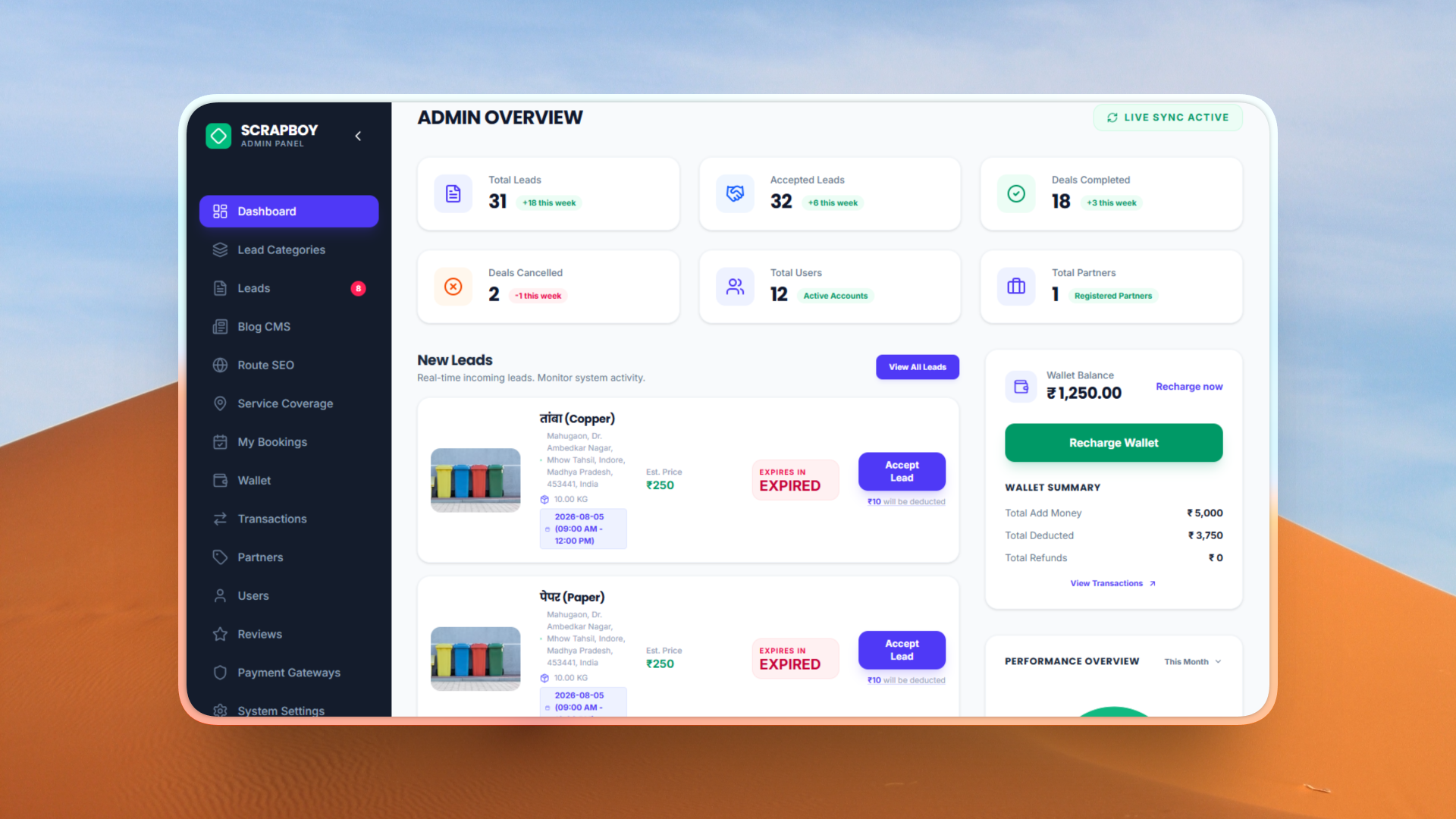
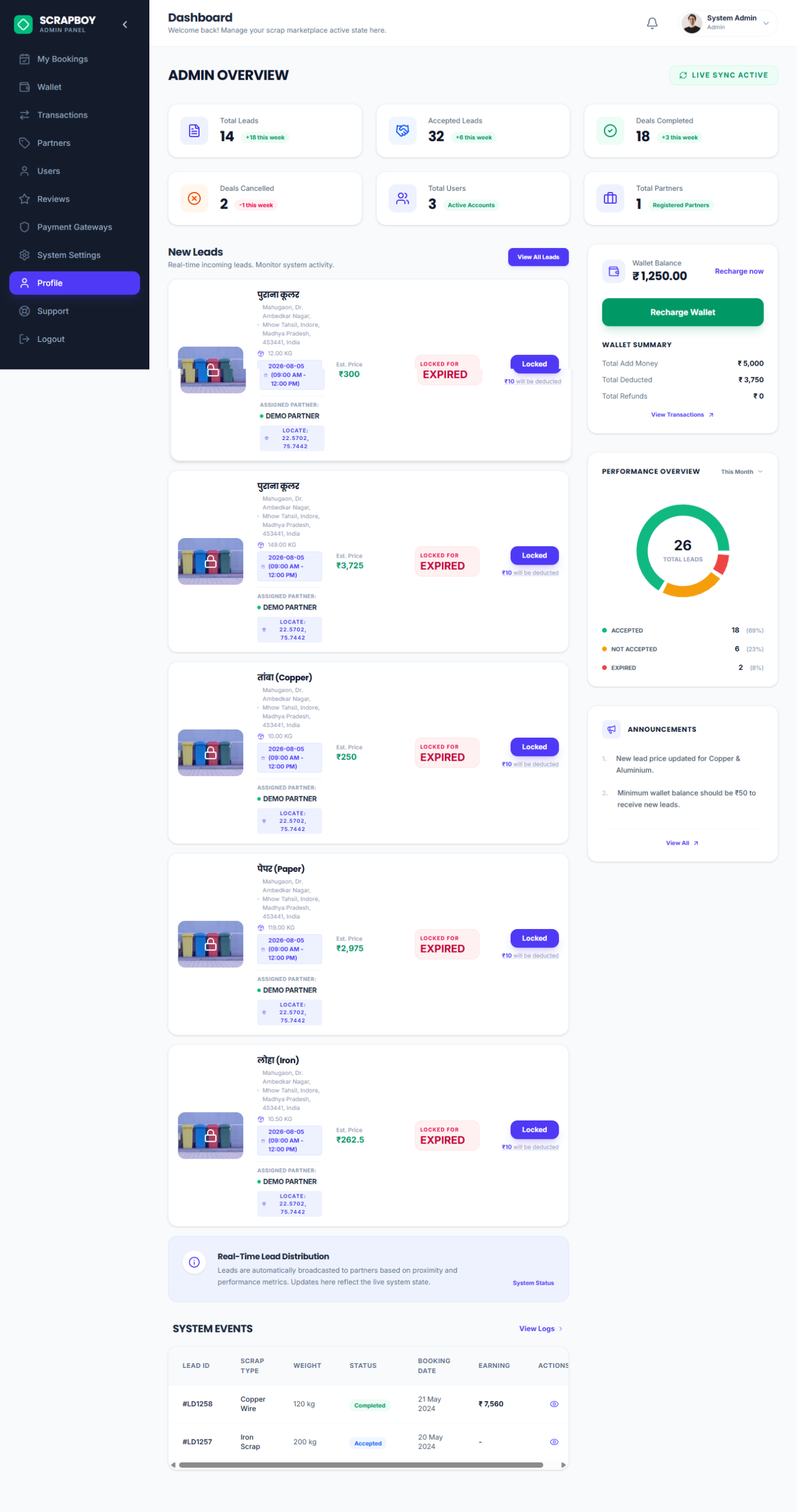
- Admin Dashboard
- Pickup Booking
- Wallet System
- Google Maps
- OTP Login
- Reports & Analytics
- SEO & Settings
- CMS
- Mobile Responsive
- Dark Dashboard
- Technology Stack
- Installation Free Setup On Your Server
Demo Link https://scrapboyonline.in/
ScrapBoyOnline – Online Scrap Marketplace Pickup Booking System with User Partner Admin Panel ( React Nodejs)Manage customer communication, automate
System Workflow & Operations
1. How the User Books a Pickup
When a customer fills out the booking form on the Scrapboyonline platform and clicks “Book Pickup”, their submission details (scrap category, estimated weight, pickup address, contact number, and geolocation) are saved to the database as a new “Lead Request”.
Upon creation, the booking status is initialized as
Pending.The user receives an instant on-screen confirmation message informing them that their “Booking has been confirmed and a local collection partner will be assigned shortly.” (Note: Since user session authentication via OTP is handled during registration/login, verified users can place requests seamlessly without repeated OTP prompts).
2. How the Partner Unlocks / Purchases a Lead
The collection partner opens their Dashboard (“Radar Mode”) to view active
Pendingpickup requests within their operational radius.In the preview list, the partner can see high-level details (scrap category, item weight, and distance to the customer), while the customer’s phone number and exact address remain hidden for privacy.
When the partner clicks “Accept Lead” or “Buy”, the system automatically deducts a pre-configured Lead Unlock Fee (e.g., ₹10) from the partner’s in-app Wallet Balance.
Once the fee is successfully deducted, the booking status updates to
Accepted, instantly revealing the customer’s phone number and exact GPS location to enable navigation.
3. Doorstep Verification via OTP (Job Completion)
The partner travels to the customer’s location and clicks “Arrived / Start Work” inside the partner app.
Triggering this action automatically sends a unique 4-digit SMS OTP to the customer’s registered phone number and changes the booking status to
In Progress.Upon arrival at the customer’s doorstep, the partner asks the customer for the verification OTP. This step guarantees that the correct partner has reached the correct customer location.
The partner enters the OTP into their application. Upon successful verification, the job is validated, and the partner can proceed to mark the order as
Completed.
Admin Panel
Partner web App
- Homepage
- User Dashboard
- Partner Dashboard
- Admin Dashboard
- Pickup Booking
- Wallet System
- Google Maps
- OTP Login
- Reports & Analytics
- SEO & Settings
- CMS
- Mobile Responsive
- Dark Dashboard
- Technology Stack
- Installation
- ⭐ Push Notifications
- ⭐ Email Notifications
- ⭐ SMS Integration
- ⭐ Coupon System
- ⭐ Referral System
- ⭐ Review & Rating
- ⭐ Invoice PDF
- ⭐ Role Permission
- ⭐ Activity Logs
- ⭐ Dashboard Analytics
- ⭐ CSV Export
- ⭐ Backup & Restore
- ⭐ PWA Support
- ⭐ Docker Deployment
- ⭐ One Click Installer
Reviews
Clear filtersThere are no reviews yet.