Blogging with WordPress, Business WordPress themes, Cheap Premium Plugins, Corporate WordPress themes, gplthemeplugin, PluginTheme, WordPress Theme Thane, WP Gpl theme, WP MEMBERSHIPS, WP PLUGIN
Elementor Pro vs Free Version: Complete Comparison to Choose the Right WordPress Page Builder

Elementor Pro vs Free Version – Full Feature Comparison & Which One to Choose
One of the most popular options is Elementor. But many users often ask: Elementor Pro vs Free Version – which one should you choose?
Both versions offer powerful design capabilities, but the Pro version unlocks advanced features for professionals, businesses, and eCommerce websites.
What is Elementor Free Version?
The free version of Elementor is available in the WordPress plugin repository and allows users to:
- Drag-and-drop page building
- Basic widgets (text, image, button, video)
- Responsive editing
- Basic templates
- Live visual editing
It’s ideal for beginners and bloggers who want design flexibility without spending money.
What is Elementor Pro?
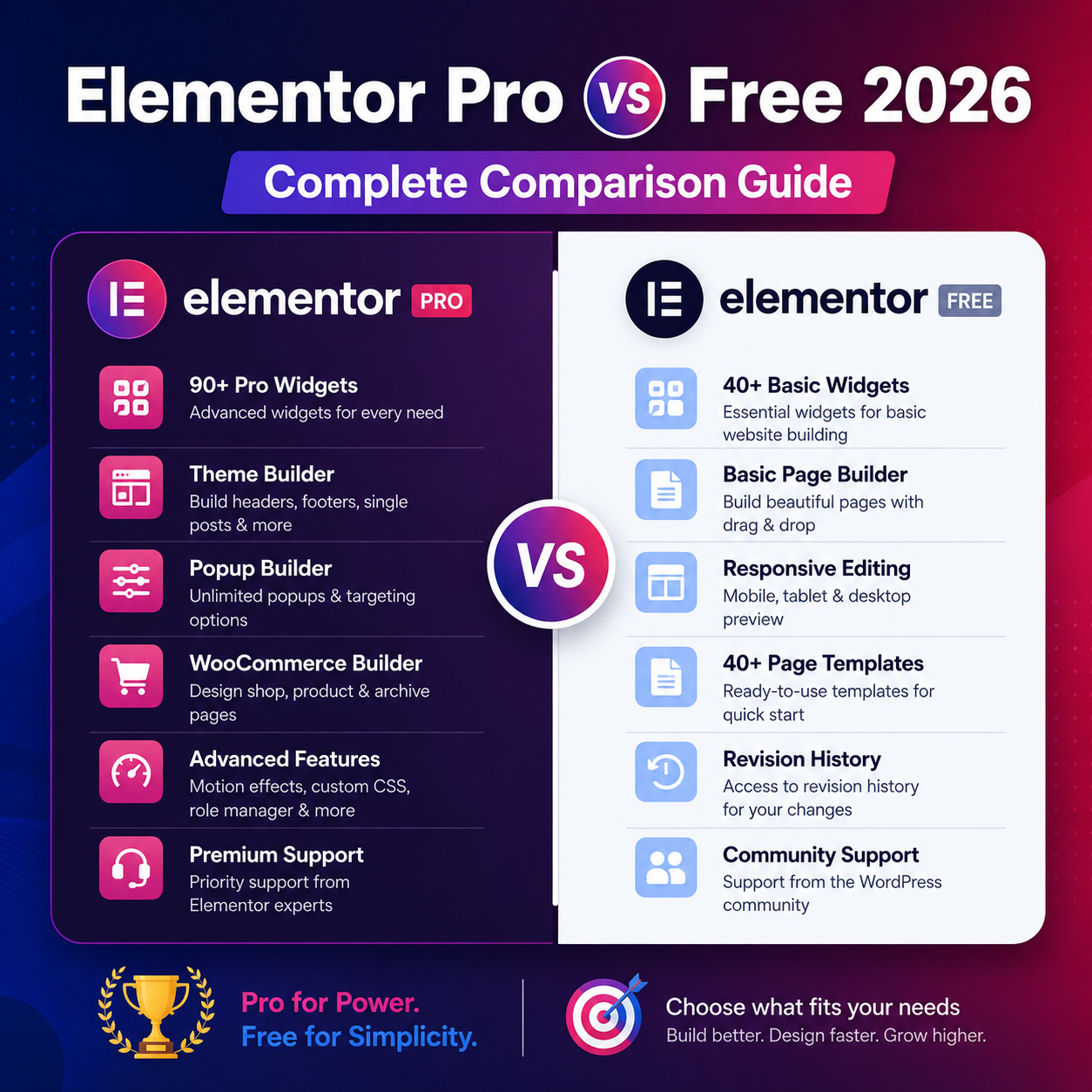
Elementor Pro is the premium extension that adds advanced website-building capabilities such as:
- Theme Builder
- WooCommerce Builder
- Popup Builder
- Form Builder
- Dynamic content
- Custom CSS
- Advanced widgets
It transforms Elementor from a page builder into a full website-building framework.
Elementor Pro vs Free Version: Feature Comparison
| Feature | Free Version | Pro Version |
|---|---|---|
| Drag & Drop Editor | Yes | Yes |
| Basic Widgets | Yes | Yes |
| Advanced Widgets | No | Yes |
| Theme Builder | No | Yes |
| WooCommerce Builder | No | Yes |
| Popup Builder | No | Yes |
| Custom CSS | No | Yes |
| Dynamic Content | No | Yes |
The Pro version clearly offers more advanced functionality for growing websites.
Key Differences Explained
1. Design Flexibility
Free version allows simple page creation.
Pro version enables full website customization including header, footer, archive pages, and single post templates.
2. eCommerce Capabilities
Elementor Pro works seamlessly with WooCommerce, allowing you to design:
- Product pages
- Shop layouts
- Cart pages
- Checkout pages
The free version does not support advanced WooCommerce customization.
3. Marketing & Lead Generation
Pro version includes:
- Advanced Form Builder
- Email marketing integrations
- Popup builder for promotions
- Exit-intent popups
This makes it ideal for business websites and affiliate marketers.
4. SEO Compatibility
Both versions are SEO-friendly and work well with plugins like:
- Rank Math
- Yoast SEO
However, Elementor Pro allows better control over templates and structured design, which improves SEO performance through cleaner layouts and optimized structure.
When Should You Use Elementor Free?
Choose the Free Version if:
- You are a beginner blogger
- You need basic landing pages
- You have a limited budget
- You don’t need dynamic content
When Should You Choose Elementor Pro?
Choose the Pro Version if:
- You run an online store
- You build websites for clients
- You need advanced marketing tools
- You want full theme customization
- You require dynamic content
Performance Considerations
Elementor Pro adds more features, so proper optimization is important:
- Use caching plugins
- Optimize images
- Avoid unnecessary add-ons
- Use lightweight themes
Pairing Elementor with performance-focused themes improves speed significantly.