

Theme Plugin Guide | Everything You Need for a Professional Website in 2026

Introduction
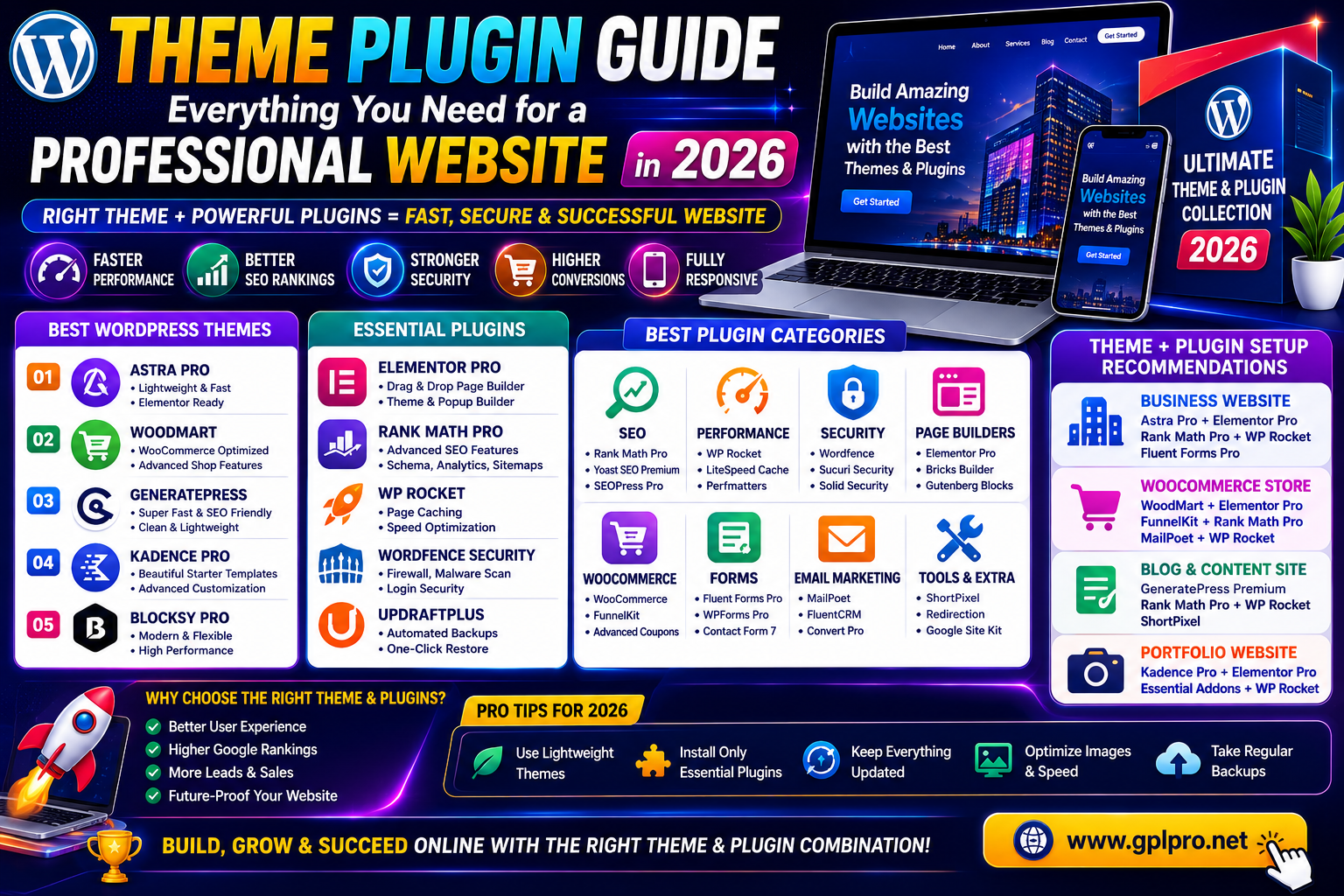
If you’re building a WordPress website, understanding themes and plugins is essential. This complete Theme Plugin Guide explains everything you need to know to create a professional, fast, secure, and SEO-friendly website in 2026.
Whether you’re a blogger, freelancer, business owner, agency, or WooCommerce store owner, choosing the right theme and plugins can significantly impact your website’s success.
What Is a WordPress Theme?
A WordPress theme controls the appearance and layout of your website.
A theme determines:
- Website design
- Header and footer layouts
- Typography
- Color schemes
- Page templates
- Mobile responsiveness
Popular WordPress Themes
WoodMart
Perfect for WooCommerce stores.
Astra Pro
Lightweight and SEO-friendly.
GeneratePress Premium
Built for speed and performance.
Kadence Pro
Excellent for business websites.
Blocksy Pro
Modern and highly customizable.
What Is a WordPress Plugin?
A WordPress plugin adds extra functionality to your website.
Plugins help with:
- SEO
- Security
- Performance
- Forms
- Email marketing
- eCommerce
- Membership systems
Why Themes and Plugins Matter
Using the right theme and plugins provides:
✅ Better website speed
✅ Improved SEO rankings
✅ Enhanced security
✅ Better user experience
✅ Higher conversion rates
✅ Easier website management
Best Themes for Professional Websites
1. Astra Pro
Best For
Business websites, blogs, and agencies.
Features
- Fast loading
- Elementor compatibility
- SEO optimized
2. WoodMart
Best For
WooCommerce stores.
Features
- AJAX filters
- Product quick view
- Advanced shop layouts
3. GeneratePress Premium
Best For
SEO-focused websites.
Features
- Lightweight code
- Excellent Core Web Vitals
- Flexible customization
4. Kadence Pro
Best For
Corporate and service websites.
5. Blocksy Pro
Best For
Modern business websites.
Best Plugins for Professional Websites
Rank Math Pro
Purpose
SEO optimization.
Features
- Schema markup
- Keyword tracking
- WooCommerce SEO
Elementor Pro
Purpose
Page building.
Features
- Theme Builder
- Popup Builder
- WooCommerce Builder
WP Rocket
Purpose
Performance optimization.
Features
- Page caching
- Lazy loading
- Database cleanup
Wordfence Security
Purpose
Website protection.
Features
- Firewall
- Malware scanner
- Login security
UpdraftPlus Premium
Purpose
Website backups.
Features
- Scheduled backups
- Cloud storage support
- One-click restoration
Theme vs Plugin: What’s the Difference?
| Theme | Plugin |
|---|---|
| Controls design | Adds functionality |
| Changes website appearance | Adds features |
| Usually one active theme | Multiple plugins can be active |
| Affects layout | Affects functionality |
Example
- WoodMart = Theme
- Elementor Pro = Plugin
- Rank Math Pro = Plugin
- WP Rocket = Plugin
Essential Theme Plugin Setup for 2026
For Business Websites
Recommended Stack
- Astra Pro
- Elementor Pro
- Rank Math Pro
- WP Rocket
- Fluent Forms Pro
For WooCommerce Stores
Recommended Stack
- WoodMart Theme
- Elementor Pro
- FunnelKit
- Rank Math Pro
- MailPoet
For Blogs
Recommended Stack
- GeneratePress Premium
- Rank Math Pro
- WP Rocket
- ShortPixel
Common Mistakes to Avoid
Installing Too Many Plugins
Too many plugins can slow down your website.
Using Outdated Products
Always keep themes and plugins updated.
Ignoring Website Speed
Use caching and image optimization plugins.
Skipping SEO
Install a professional SEO plugin from day one.
Not Creating Backups
Always use an automated backup solution.
Theme Plugin Guide for Frequently Asked Questions
How Many Plugins Should a WordPress Website Use?
There is no fixed number, but only install plugins that provide essential functionality.
What Is the Best Theme for WooCommerce?
WoodMart is one of the best WooCommerce themes available.
What Is the Best SEO Plugin?
Rank Math Pro is widely considered one of the best SEO plugins.
Can Plugins Slow Down a Website?
Yes. Poor-quality or excessive plugins can negatively affect performance.
Are Premium Themes Worth Buying?
Yes. Premium themes typically provide better support, updates, and advanced features.
Final Thoughts
This Theme Plugin Guide provides everything you need to build a professional WordPress website in 2026. By selecting the right themes and plugins, you can create a fast, secure, SEO-friendly, and highly profitable website.
Whether you’re building a blog, business website, membership platform, or WooCommerce store, the right combination of WordPress tools will help you achieve long-term success.